
Launch_Teaser_4K.mov
Compressing · 2.1x · 00:38 left
42%
 iCompress
iCompress 1.1.0 · Local macOS Video Compression
iCompress brings drag-and-drop import, batch compression, real-time progress, and safe bitrate settings to Mac. Every video is processed locally and exported only to a folder you choose.
Supports MP4, MOV, AVI, MKV and more
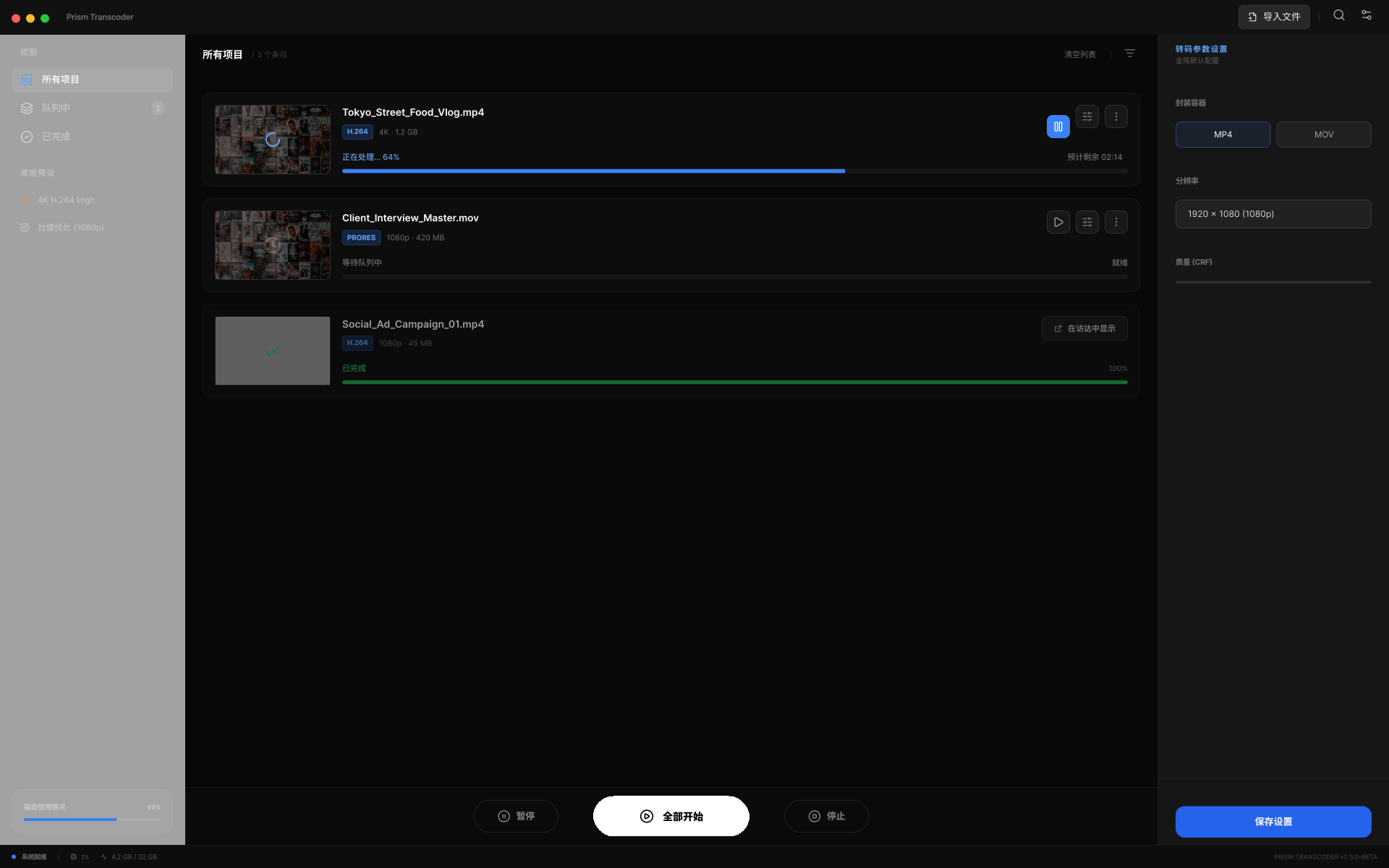
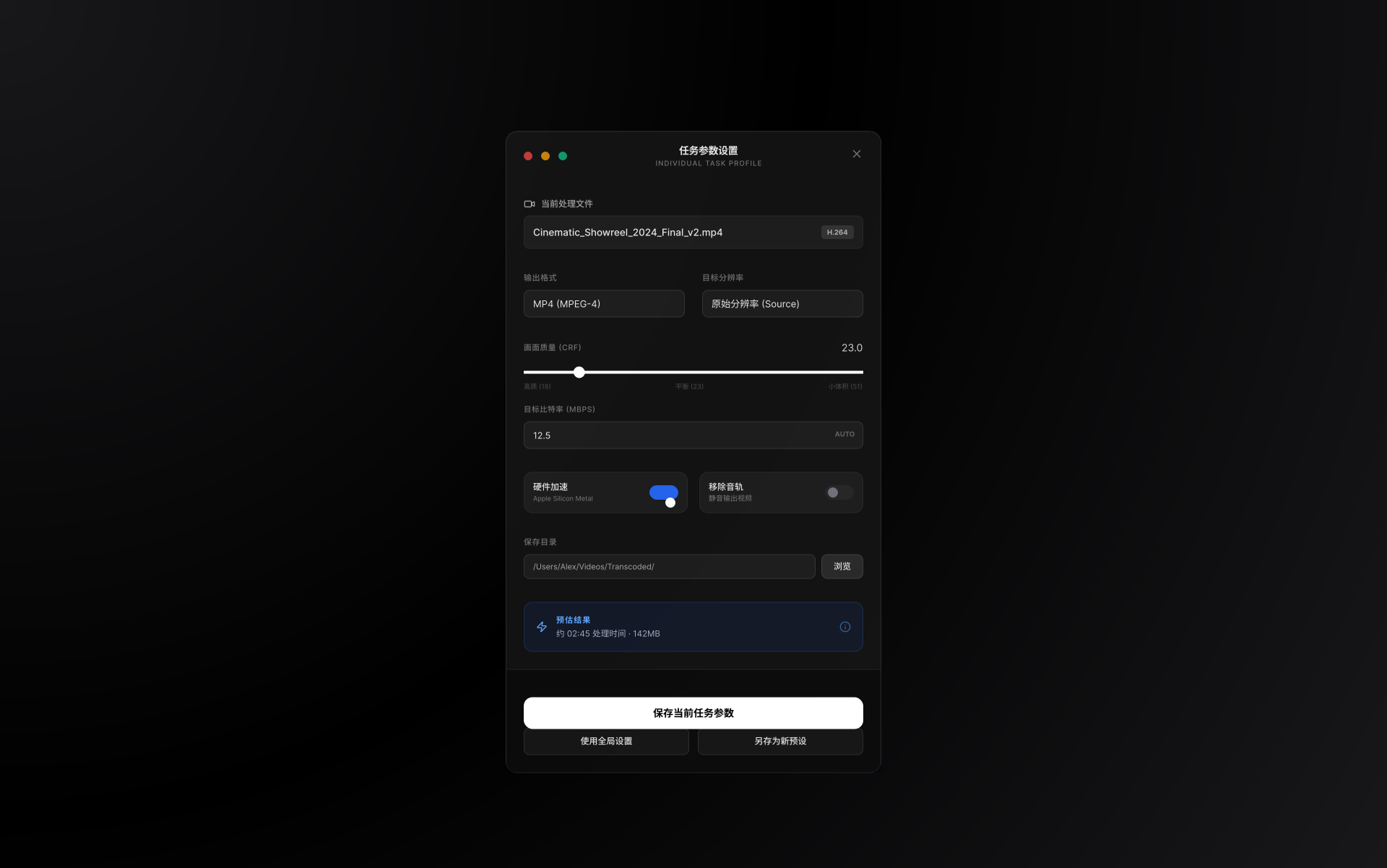
Actual Product Interface
Video thumbnails, task status, progress, output folders, and compression results stay visible, even when processing a batch.
Core Features
iCompress focuses on file size, format compatibility, batch efficiency and result tracking—maintaining the directness and control expected from a desktop tool.
Drag videos into the window or manually select files to enter the analysis and compression workflow.
Tasks are grouped by Pending, Compressing, Failed and Completed—perfect for processing multiple files at once.
Shows compression percentage, speed, remaining time and post-compression size changes.
Default output supports MP4, MOV, MKV, AVI and more. Pro unlocks more professional formats.
Choose common bitrate presets while iCompress limits them against the source to reduce oversized outputs.
When all tasks are done, open the output folder or send a system notification.
Version 1.1.0
A focused update for safer exports, clearer tasks, and efficient batch processing.
Task cards show video thumbnails, while import reads duration, dimensions, bitrate, and frame rate.
Custom bitrates use common presets and are checked again against a safe source-based limit.
Timestamped output names preserve previous results when compressing the same video again.
Confirm an accessible output folder before compression. Results are never hidden in the app container.
Pending, queued, running, failed, and completed states are clear, with configurable retry settings.
Improved subscription syncing, restore flow, and interface quality across seven languages.
Workflow
From import, compression to locating results in Finder—the website explains product value in the same sequence, consistent with the current app's page structure.
Drag files to the import area, supports common video container formats.
Use default quality and format, or adjust output directory, format and concurrency in General Settings.
After task completion, show original size, compressed size and savings ratio. Locate in Finder.
Local Processing
iCompress uses local FFmpeg to execute compression tasks. Videos are not uploaded to cloud services. More controllable for meeting recordings, client materials, internal training videos and other files.
Download
Get iCompress from the Mac App Store. Apple handles purchases, restores, and subscription management.
Pro Subscription
The free version covers basic single-file compression. Pro unlocks batch compression, safe custom bitrates, and more output formats.
Suitable for individuals, operations, course creators and small teams who continuously process video materials.
Closed-source Commercial App
Website explains product capabilities, subscription benefits, privacy handling and support channels to general users. No code repository access shown, not distributed as open source project.
Video compression runs locally. Both website and app copy should avoid implying cloud upload processing.
Purchase, restore purchase and subscription management follow Apple In-App Purchase process.
Final size, speed and quality depend on source file, encoding format, device performance and compression settings.
FAQ
Output formats include MP4, MOV, MKV, WebM, AVI, M4V, FLV, WMV, TS, and MXF. Some formats require Pro.
No. Compression tasks are executed locally on Mac using FFmpeg—suitable for scenarios where you don't want materials uploaded to online tools.
No fixed ratio can be guaranteed. Safe bitrate limits reduce oversized outputs; if a result is not smaller than the source, it is marked as abnormal and removed.
No. iCompress is a commercial app distributed through the Mac App Store. Downloads, subscriptions, and restores follow Apple's process.
Start Compressing